Overflow
: IProject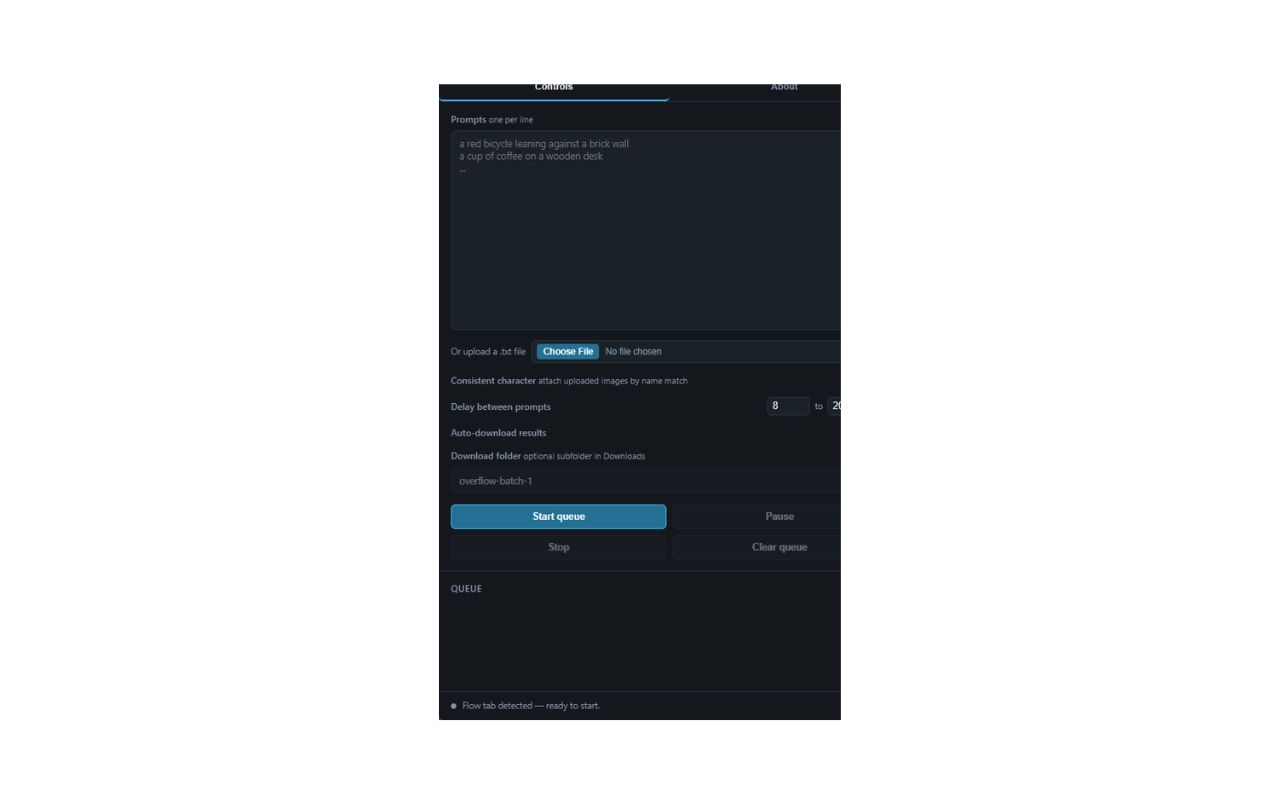
Overview
Overflow is a free Chrome extension that automates bulk image generation in Google Flow, Google’s generative AI image tool. Instead of babysitting one prompt at a time, you paste a whole queue of prompts into the extension’s side panel, set a delay range, and let it run — submitting prompts with human-like timing and downloading the results as they complete. It exists to remove paid-tier gatekeeping around basic prompt queueing.
Key Features
- Bulk Prompt Queue: Paste or upload a list of prompts (blank lines between paragraphs are preserved), set a min/max delay, then start.
- Pause / Resume / Clear: Full control over a running queue, with error recovery if a submission fails.
- Auto-Pause on Blur: The queue pauses automatically when the Flow tab loses focus and resumes when it regains it.
- Character Consistency: Upload reference images matched by name so recurring characters keep a consistent look across a batch; negation-aware scanning (e.g. “no NARRATOR in frame”) skips attaching the reference image where it isn’t wanted.
- Sequential Downloads: Results are automatically downloaded with zero-padded, sequential filenames (
001.jpg,002.jpg, …). - Safety Guardrails: A blocking overlay appears when you’re not on a Flow project tab, with a quick link back; the extension also blocks itself if Flow’s Agent/chat mode is active.
Technical Implementation
Architecture
Overflow runs as an unpacked Chrome extension with a side panel UI. Rather than firing synthetic events, it drives Flow’s page with genuine DOM clicks and human-like typing simulation, then waits for each generation to actually finish before moving to the next prompt — designed to behave like a real user working through a list, not a scripted bot hammering the page.
Current Status
Alpha (v1.0.0.0). Core queueing, pause/resume, and download automation are tested and working; broader public exposure and edge-case hardening are still in progress.
Future Enhancements
- Wider testing across different Flow project types and prompt styles
- More granular error reporting when a submission fails mid-queue
- Configurable output naming/organization beyond sequential numbering