FuelFlow
: IProject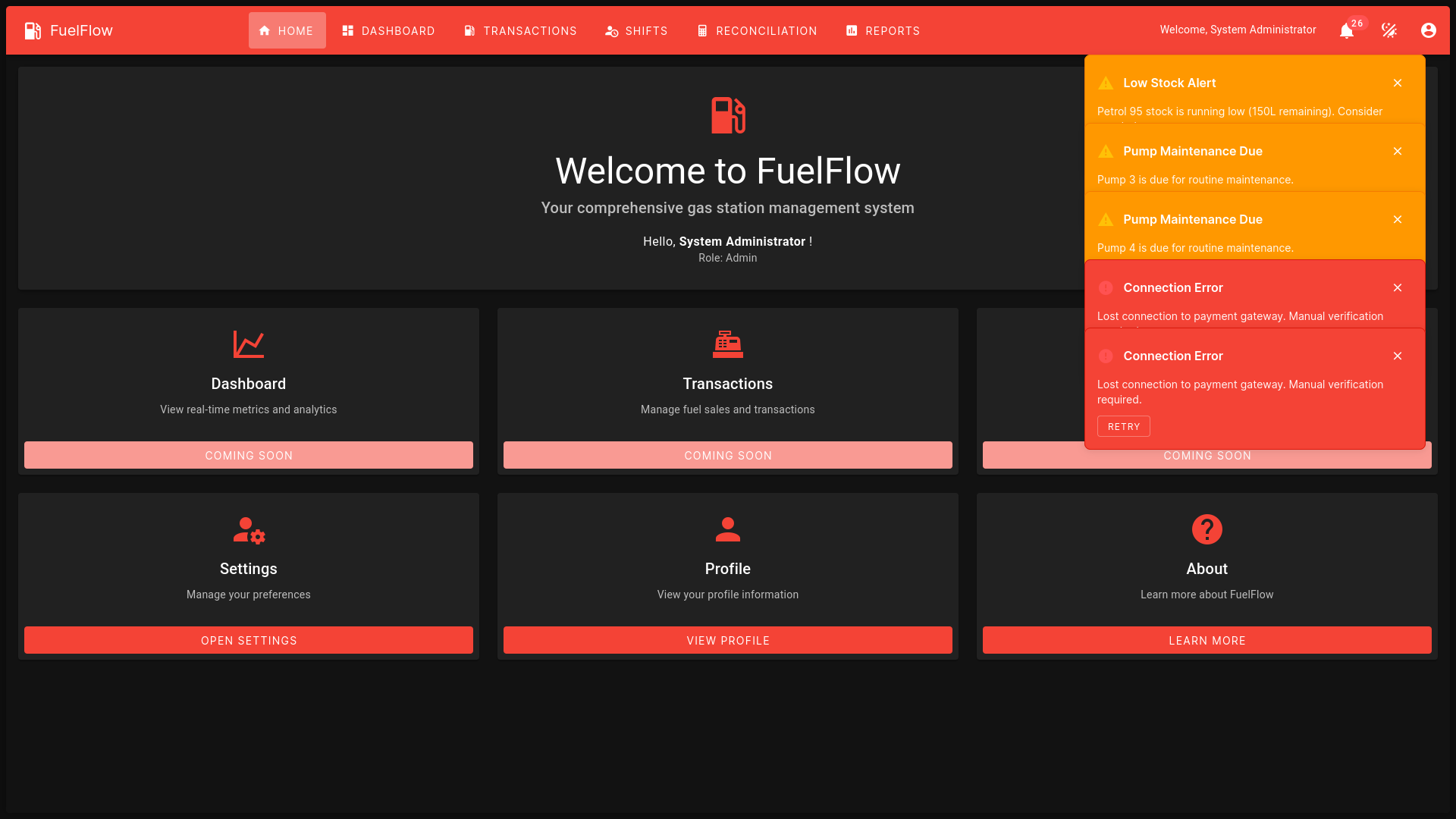
Overview
FuelFlow is a Software-as-a-Service (SaaS) web-based application designed to digitize and streamline the management of gas stations in Sri Lanka. Targeting small and medium-sized enterprises (SMEs), FuelFlow replaces manual logbook systems with a user-friendly platform for managing fuel stock, pump operations, daily sales, gas sold quantities, and employee performance targets. Built with modern technologies, it ensures accessibility, efficiency, and scalability for gas station owners and workers, addressing local challenges like limited digital infrastructure and low digital literacy.
Key Features
- Manual Stock Entry: Record and update fuel inventory (e.g., petrol, diesel) manually.
- Pump Monitoring: Track pump status and usage in real-time.
- Daily Sales Tracking: Log sales transactions with details like quantity and amount.
- Gas Sold Stock Management: Monitor fuel dispensed to ensure accurate stock levels.
- Employee Target Tracking: Set and monitor daily performance goals for pump workers.
- Report Generation: Produce daily, weekly, or monthly reports for sales, stock, and employee performance.
Technical Implementation
Architecture
The API follows a clean architecture pattern with clear separation of concerns:
| |
Database Design
The database schema is designed for scalability and performance:
- Users: Customer and admin user management
- Products: Product catalog with categories and variants
- Orders: Order management with line items
- Inventory: Stock tracking and management
Challenges and Solutions
Performance Optimization
Challenge: Initial API responses were slow due to N+1 query problems.
Solution: Implemented eager loading with Entity Framework’s Include() method and added caching for frequently accessed data using Redis.
Security Implementation
Challenge: Ensuring secure authentication and authorization across all endpoints.
Solution: Implemented JWT-based authentication with refresh tokens and role-based authorization using ASP.NET Core Identity.
Testing Strategy
- Unit Tests: Comprehensive unit testing with xUnit and Moq
- Integration Tests: API endpoint testing with TestServer
- Performance Tests: Load testing with NBomber
Deployment
The API is containerized with Docker and deployed to Azure App Service with:
- Automated CI/CD pipeline using Azure DevOps
- Database migrations handled automatically
- Environment-specific configuration management
- Monitoring and logging with Application Insights
Future Enhancements
- GraphQL endpoint implementation
- Real-time notifications with SignalR
- Advanced analytics and reporting
- Multi-tenant architecture support